
Overview
An AI customer service agent is software that answers customer questions and does simple tasks like checking stock or adding an item to a cart. This article follows a small café through its first months with one. We cover the problems the café set out to solve and what it had to accept in return. You will see the day-to-day work, where the agent helps most and where a person still needs to step in.
An AI customer service agent is a helper, not a replacement
An AI customer service agent is a program that reads a question, looks up the answer in your own information and replies, or passes the question to a person. Think of it as a front desk that is available whenever customers write in. Imagine a small café that gets the same questions every day. The agent is built for exactly that kind of routine work.
What Bean Lane was struggling with
Lane’s Bean Lane owner spent mornings answering questions about opening hours, if oat milk was in stock, and if the café accepted bulk orders for office meetings. Each reply took a few minutes. Some customers left when no one replied in time. Her staff were busy pulling shots, so messages piled up until the evening.
Setting up the agent
The owner chose a tool that reads the café’s menu page and its livestock list. She added the opening hours, the bulk order rules and a clear note that the assistant could not take payment. Setup time depends on how much information you already have, how many integrations you need and how much testing you do. She then tested real questions before a customer saw the chat window. Test with the questions your customers really send, not the ones you wish they sent.
A typical day with the agent
Most mornings now start with the agent replying to hours and stock questions in seconds. When a customer asks for a bulk order of forty cups for a Thursday meeting, the agent takes the date, the number, and a phone number. It then hands the request to the owner’s inbox. Questions it cannot answer, such as a complaint about a cold drink, go to a person with the full talk attached.
One week, a customer asked if the café’s cold brew was still £3.20. The agent’s source page still showed the old price from before a spring change, and it replied with that figure. The customer arrived at the counter, was charged more, and complained. The owner fixed the page that day and checked her other prices. Afterward she added a weekly task to compare the agent’s source pages against the till menu. The lesson was not that the agent failed in general, but that an out-of-date source produces confident wrong answers, and she now treats price pages as something to maintain, not set and forget.
A clear handover rule matters more than a clever answer. Bean Lane’s owner now decides, in advance, which queries should never be automated at all. Complaints, refunds, allergy questions and anything involving payment always go to a person, because a wrong reply their costs more than a slow one.
Measuring whether it helped
After two months, the owner compared how many messages reached her with no reply, how long customers waited for the first answer, and how many bulk orders she received. She kept a simple weekly note. This gave her an honest picture of what was getting better and what was not.
What are the main benefits of AI agents for customer support?
AI agents mainly save time on repeated questions. They reply faster and keep staff free for harder work. They can also answer outside opening hours, which many small businesses cannot do with a team alone. The gains depend on giving the agent good information and clear rules for when to stop.
Less time spent on repeat questions
Routine questions take little skill but a lot of attention. If you get the same five questions every day, those move to an agent first. Your team then spends its time on the customer who needs a judgement call.
Faster first replies
A customer who asks about stock at night gets an answer straight away rather than waiting until morning. For a small café or shop, that quick reply can decide if the customer comes in or moves on. Speed matters most in the first reply, so make that one count.
Staff who handle the hard cases
When the routine work is handled, staff can focus on complaints, custom orders and regular customers. The agent does not make staff unnecessary. Its job is to take the easy load, so people can do the work only people can do.
What can an AI customer service chatbot do?

An AI customer service chatbot can answer common questions, explain products, check stock and help a customer add items to a cart. When it does not know an answer, it should say so and pass the question to a person. The useful test is how well it stops when it is unsure.
Answering common questions
Take a question such as “Do you have oat milk today?” The agent should check the livestock list or the menu page you have given it, and reply with what that source says. If the stock list is missing or unclear, it should not guess. It should say it cannot confirm availability and offer to pass the question to a person. Keep your source pages up to date, because an old price is worse than no answer. A shop that changes its delivery area each season must update that page before the season begins.
Helping customers buy
Some assistants can also work with your store to read live prices and stock and to add or remove items from a cart. TalkTill’s AI sales assistant, for instance, can search a catalogue by name, need, or budget, show product details, and handle options such as sizes. It can also apply or remove a coupon inside the chat. Ask if a tool can finish the sale, not only answer about it.
Handing over to a person
Set a clear rule for what goes to a person, such as complaints, refunds and payments. If the assistant cannot find an answer in your data, it should offer a person and save the question. TalkTill’s customer service chatbot works this way, logging each unanswered question to a review queue so you can close the gap later.
How do you choose the right AI agent for your website?
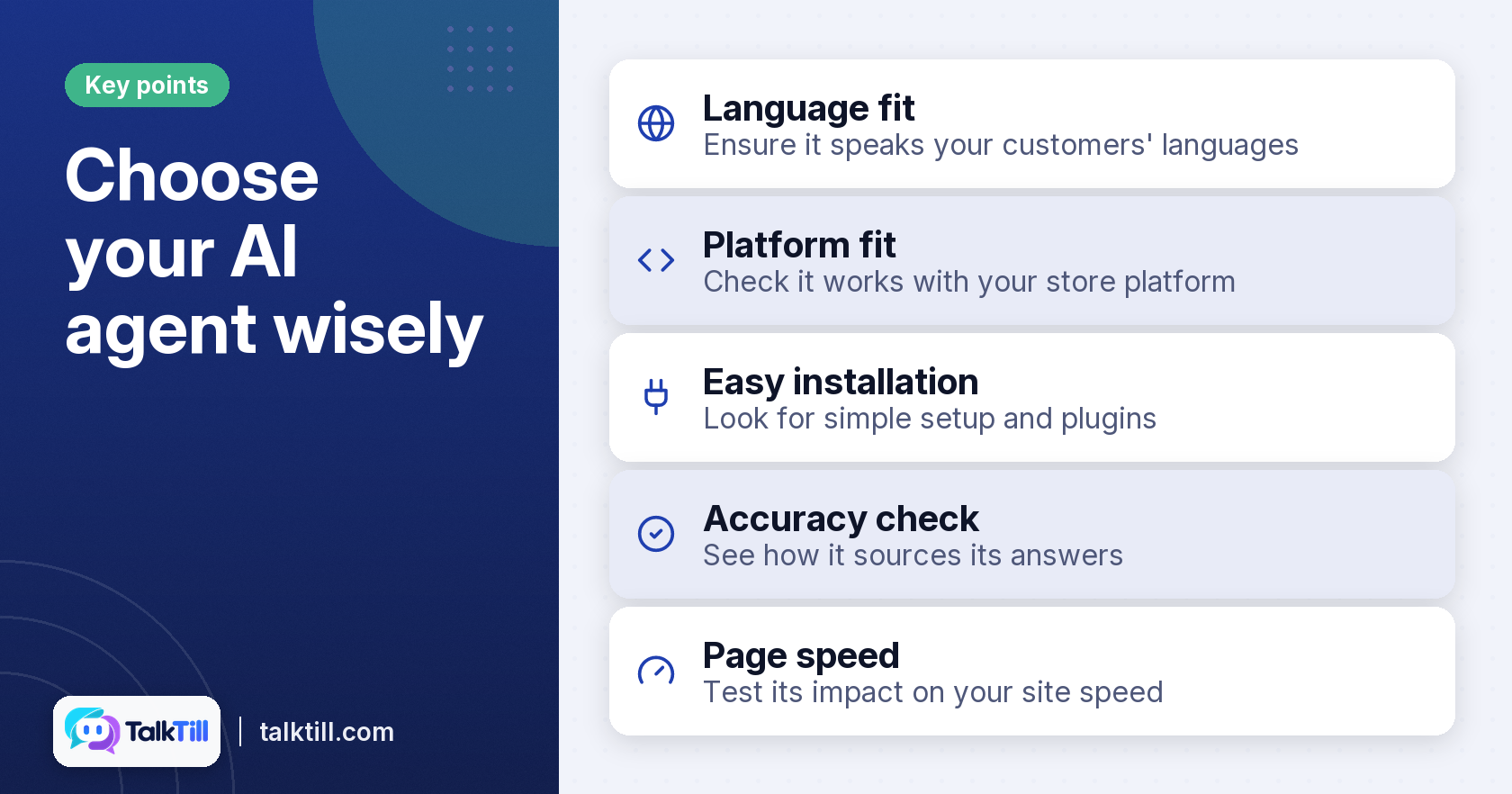
Choose an AI agent by checking the languages it speaks, if it reads your live data, if you can see why it gave an answer, and how easily it installs. Test each one with your own questions before you commit. A tool that looks impressive in a demo can still give wrong prices on your site.
Language and platform fit
Check that the agent speaks the languages your customers use, and that it works with your store platform. Before you start, prepare your product pages, opening or delivery information, and the systems you want to connect, such as a store platform for live prices and stock. TalkTill supports English and nine Indian languages, and connects with WooCommerce for live price and stock. If your customers write in more than one language, test each one.
Installation effort and integration requirements
Ease of installation is often the difference between a tool you use and one you abandon. Ask how much code you need to paste, if a plugin is available for your platform, and what you must provide before the agent works, such as a widget ID or API access. TalkTill’s snippet loads after your page, and the WooCommerce plugin can be installed with a widget ID. Note who on your team would do the setup and how long it would take.
Checking accuracy and transparency
Ask the vendor how you can see where an answer came from. Does the tool keep a record of the source behind each reply, so you can spot a wrong price quickly? Ask to see it in a demo. TalkTill offers a playground where you can review each reply’s receipt before a shopper sees it. Also confirm that the chat discloses it is an AI assistant.
Page Speed
Measure your own page speed before and after setup rather than trust the vendor’s figure alone. A stated budget is helpful, but your own test tells you if the tool affects your site in practice.
Key takeaways
- An AI customer service agent handles routine questions, reads your own information, and passes hard ones to a person.
- Bean Lane’s owner got the biggest benefit from faster first replies and fewer unanswered messages, not from one headline number.
- Before you go live, test the agent with real customer questions, and keep a simple weekly record of changes.
- Pick a tool for its language support, live data, transparency and setup effort, then check each one yourself.
- A clear handover rule matters as much as a good answer. Some queries should never use an AI.
Conclusion
An AI customer service agent works best as a helper that takes the routine load and leaves the hard cases to your team. The Bean Lane scenario shows the pattern. Good information, honest testing, and clear handover rules are key. Businesses that run an online store can apply the same approach to their own catalogue by checking how an assistant handles real product questions before relying on it.
FAQs
What is the difference between a chatbot and an AI agent?
A chatbot usually follows a set of scripted replies. An AI agent can also look up live information and carry out a task, such as checking stock, although the two terms are often used loosely.
Can an AI customer service agent understand complex queries?
It can handle a wide range of questions, but it works best when the question matches information you have given it. Anything involving a complaint or a judgement call should go to a person.
How long does it take to implement an AI customer service agent?
Setup time depends on how much information you have, which integrations you need, and how many questions you test. Plan for time to prepare your content and to refine the answers after launch.
What kind of businesses benefit most from AI customer service agents?
Businesses that answer the same questions many times a day, such as shops, cafés and online stores, tend to benefit most. Businesses with few questions or highly specialised advice may gain less.
How do AI agents handle sensitive customer information?
Check how the tool stores conversations, how long it keeps them, and if you can delete them. Avoid asking customers for sensitive details in the chat unless you have a clear, secure process for that data.
What are the limitations of AI customer service agents?
An agent can give wrong answers if your data is out-of-date, and it cannot replace human sense in arguments or upsetting cases. We recommend you check its talks often to spot mistakes early.