Overview
AI sales assistant software is a chat tool that answers shopper questions, reads live product data, and helps shoppers add items to their cart. This checklist covers the features to check before you choose one. It explains what each feature means, what to test, and how to compare options fairly for your store.
This checklist is for store owners and e-commerce managers who are comparing tools for the first time. It sets out what to look for, how to test it, and how to make a fair side-by-side comparison before you buy.
What AI sales assistant software does for your store
AI sales assistant software answers shopper questions in a chat window on your site. It can explain a product, compare two items, and help a shopper move toward checkout.
You use a phone to shop. If a jacket is available, you ask about sizes. It helps to think of a shopper in this situation. A good assistant checks the live size list and answers at once. You can then select a size, and it can add the chosen size to the cart, saving you time, and helping you to avoid hunting through menus for the right option.
This is what people call conversational commerce.
Essential features to check in AI sales assistant software

The features that matter most fall into four groups. Each one affects how useful the tool is to you and your shoppers. Check every group before you decide.
Live data integration
Live data is key. The assistant should read current stock levels and prices from your store. A copy of your catalogue made last week will give wrong answers. You will then be told about products that have already sold out. It is about giving the right information.
You need to ask the vendor if the assistant can add items to the cart, change quantities, and apply or remove coupons. These actions should work on your store’s own cart. We recommend you check this, particularly for WooCommerce stores, where checkout should stay on your own checkout page.
Multilingual and localised support
It supports many languages. You need to check which languages the assistant supports. TalkTill’s assistant speaks English, and nine Indian languages, including Tamil, Hindi, Telugu, Kannada, Malayalam, Marathi, Bengali, Gujarati, and Punjabi. It answers in the language and script the shopper uses.
Input methods matter too. A shopper who types Tamil in English letters should get a reply that matches how they wrote. Test this yourself with a few real questions before you rely on it.
Transparency in AI responses
Transparency means you can see how an answer was reached, not just the question and the reply. This helps when something goes wrong. A wrong price could mean the assistant never found the right page, or it found the page and misread it. The fix is different in each case.
It helps you verify responses. You can check the source before the tool goes live. Check the tool. TalkTill’s playground shows replies before a shopper sees them. You verify the accuracy of the responses.
Also check that the assistant states it is an AI. TalkTill shows the disclosure “You’re chatting with an AI assistant” in the chat header, before the first reply.
Lightweight and fast loading
Ask about the script size. TalkTill’s loader is 7.78 KB and loads after your page. The chat panel is 37.97 KB and loads only once a shopper opens it, which may affect your page’s loading time.
Test on a slow phone connection before you choose. If the chat delays your page, shoppers may leave before they see it.
How to integrate AI sales assistant software with your store
The steps differ by vendor, but the pattern is similar.
We help you simplify the process. The process often has a few steps.
- Paste your homepage URL, so the assistant can learn your site. 2. Connect WooCommerce for live price and stock. Then ask the assistant the questions your shoppers ask, using the playground. 3. Add the snippet to your site, or install the WooCommerce plugin and enter your widget ID.
Check the playground replies. Ask the questions a real shopper would ask. You must confirm the prices and stock match your store. It is about accuracy.
Choosing the right AI sales assistant for your business
The right tool depends on your store size, your shoppers, and your budget. A small store with one language and a simple catalogue has different needs from a larger store with many products and several languages.
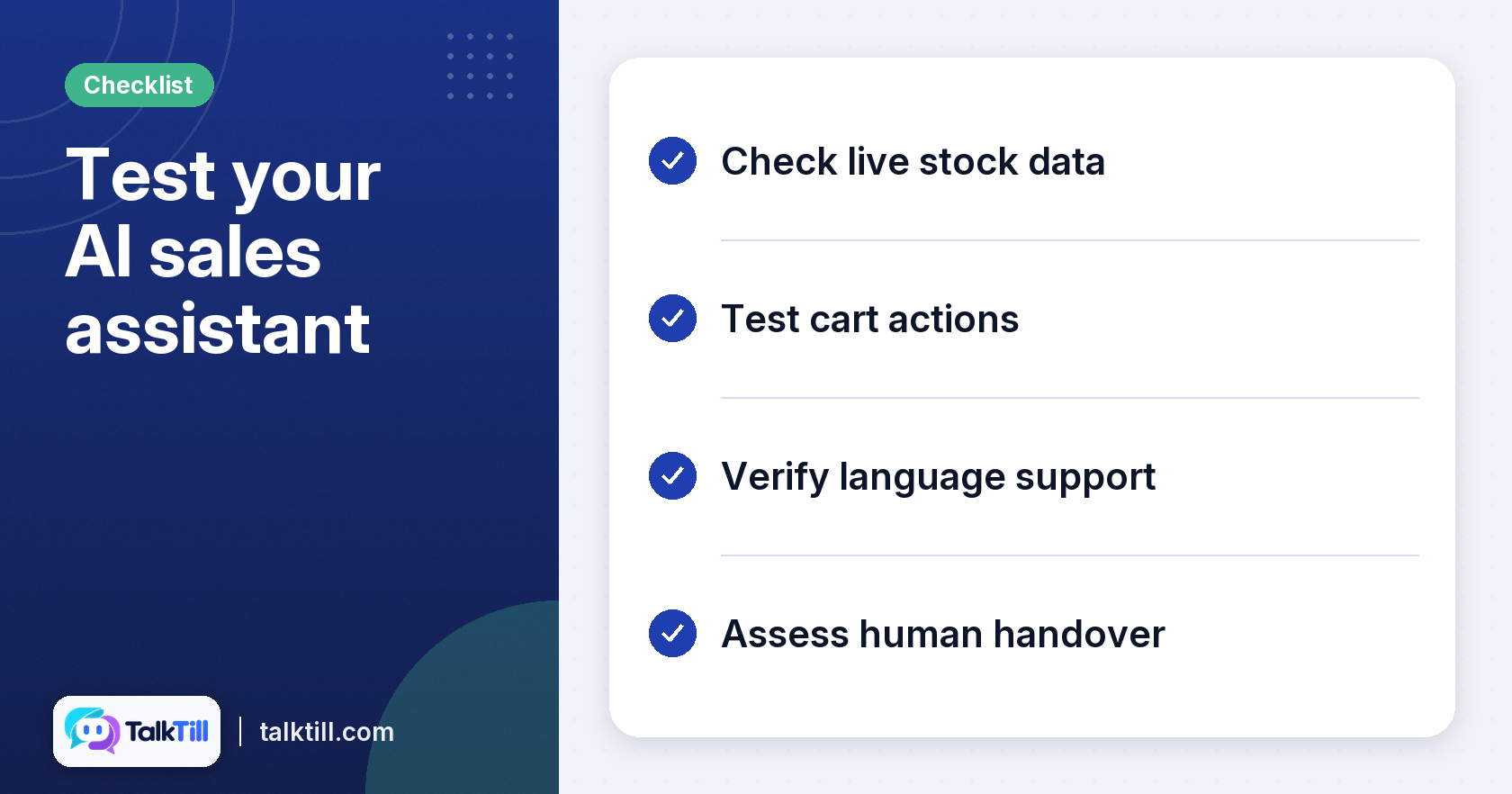
Use this sequence to compare vendors fairly
| Requirement | What to test | Pass if |
|---|---|---|
| Live data | Ask about a product whose stock you just changed | The answer matches your store now |
| Cart actions | Add a sized or coloured item through the chat | The item appears in your store’s own cart |
| Language support | Ask a question in each language your shoppers use | The reply uses the shopper’s language and script |
| Handover | Ask for a person partway through a chat | The conversation reaches your team with its history |
For example, a small craft shop that sells in one language may only need product questions and cart help. A larger fashion store with shoppers in several languages may need size and colour choices, and clear handover to a person. Decide which of these describes you before you compare prices.
We recommend a plan. TalkTill’s Growth plan includes 1,000 AI replies a month. It often includes useful features for your business, such as sourced answers and product cards. You can compare the plans in full on the pricing page.
When you compare vendors, ask each one the same questions: Does it read live stock? Which languages does it support? Can I see how an answer was reached? What does it cost each month? Write down the answers and compare them side by side.
Key takeaways
- The assistant should read live stock and prices from your store at the moment a shopper asks. - Check which languages it supports and if it handles the scripts your shoppers use. - Choose a tool that shows how each answer was reached, so you can find and fix errors. - Test the chat’s loading speed on a slow mobile connection before you commit. - Match the plan to your reply volume, language needs, and need for human handover.
Conclusion
AI sales assistant software is useful when it gives accurate, live answers and completes simple cart actions. Check live data, language support, transparency, and loading speed before you choose. Test each tool with real shopper questions so you know how it behaves on your own store.
If you want to see how TalkTill handles these checks, you can try the demo store or compare the plans on the pricing page.
FAQs
What is an AI sales assistant?
An AI sales assistant is a chat tool on your website that answers shopper questions and can help with purchases. It reads product information and can add items to the cart. Its aim is to help the shopper finish a sale without leaving the page.
Can an AI sales assistant handle multiple languages?
Some can. TalkTill’s assistant supports English and nine Indian languages and replies in the script the shopper uses. Test the languages your shoppers use before you rely on them.
How does an AI sales assistant integrate with my existing store?
TalkTill can be connected to WooCommerce for live price and stock, or added with a snippet or plugin.
What kind of data does an AI sales assistant need?
It needs your product information, prices, and stock levels. For accurate answers, it should read this data live from your store rather than from an old copy. Check how the tool connects to your catalogue before you buy.
Can an AI sales assistant add items to a customer's cart?
Yes, some can. On a WooCommerce store, TalkTill can add items to the store’s own cart, change quantities, and apply coupons inside the chat. Checkout still happens on your store’s checkout page.
Is an AI sales assistant suitable for small businesses?
It can be, if the tool fits your reply volume and budget. A small store with one language and a simple catalogue may need fewer features than a large one. Compare plans and start with a small number of replies.