Overview
Customer support automation is software that handles common questions without human input each time. It covers opening hours, prices, stock and order status. This article follows a small café through a realistic setup from early choices to the long-term effect on staff time, service and cost. You will learn what to automate first, where human handover matters and how to judge if the savings are real.
Imagine a small cafe automating customer support
Customer support automation is a set of tools that answer common questions and hand off the rest to your team. Consider a small café during a busy period with a phone that rings constantly.
The initial challenge: overwhelmed staff and missed opportunities
The owner noticed that most calls and messages asked the same things. Were they open on Sunday? Did they stock oat milk? How many stamps until a free coffee? Each reply took a minute or two, but together they consumed the day. Staff had no time to upsell, and answers varied from person to person.
Choosing the right automation tool
List the questions you hear most often and rank them by volume. Then check if a tool can read your current prices and stock. Wrong answers are easier to fix if you see where they came from, so ask if the tool can show the source of each answer. A reply about a muffin that sold out an hour ago does more harm than no reply.
Setting up the assistant for common questions
Start small. Load the opening hours, the menu and the loyalty rules first, then test the assistant with the wording your customers actually use. A customer might ask, “Do you have vegan muffins today?” rather than “Show vegan bakery items.” Check each answer against what your staff would say, and add topics only once the first ones are right.
How automated customer support for ecommerce transforms operations
Automated customer support for ecommerce answers routine questions from live information, freeing your staff for harder work. The assistant does not replace the people behind the counter. It takes the repetitive part of the day.
Handling routine inquiries with precision
Take a question like “Is the blue ceramic mug back in stock?” Most routine questions have one right answer, and that answer can change through the day. The helper should read the current stock level, not use a saved reply. It should then give the customer the live result. Before going live, test a sample of these questions against your store data to confirm the helper returns the same answer your records show.
Providing live product information and order status
Live data separates a useful assistant from a guessing one. TalkTill reads the live catalogue, with price and stock taken from your store at the moment of asking, so an answer never offers something already sold out. On WooCommerce stores that connect their API keys, shoppers can also ask where their order is. The assistant asks for the order number and the email or phone on the order, then replies with the status and items. It never shares the delivery address.
Facilitating sales and upselling
A question like “Which of these is less sweet?” can lead to a sale when the answer is quick and clear. The assistant can compare real product attributes side by side and add an item to the cart inside the chat. For a café, a quick answer might mean a customer orders a second pastry.
Related: Train your chatbot on your catalogue and pages, TalkTill
Managing complex issues and human handover
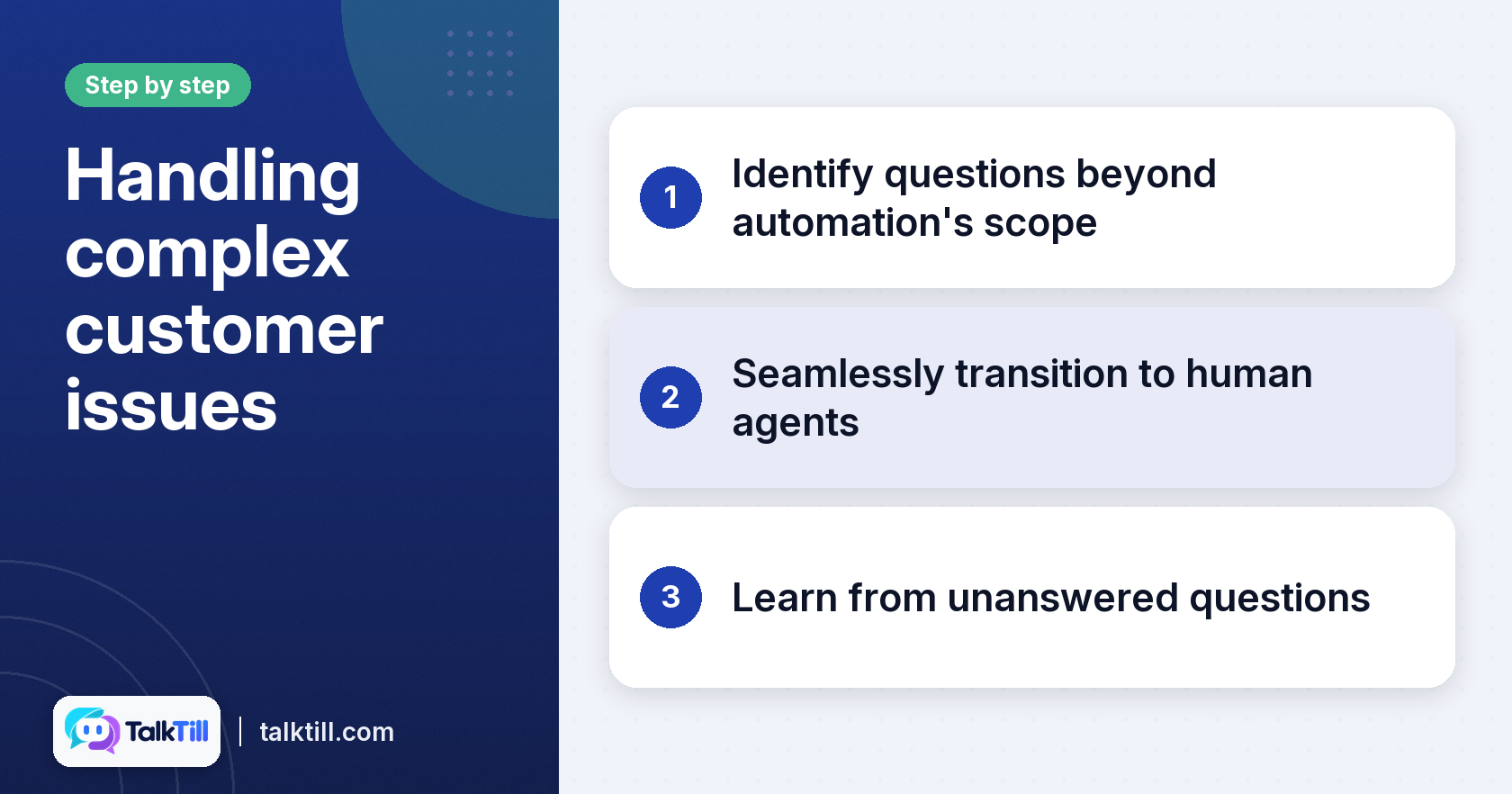
A good assistant knows its limits. It should decline well, hand over to a person when one is wanted, and learn from each decline.
Identifying questions beyond automation’s scope
Imagine a customer asks for a catering quote for fifty people with a dietary restriction and a Saturday delivery. The assistant should not guess a price. It should say it lacks that information and offer a person. If an answer needs judgement, a special price or a promise your team has not made, hand it over.
Seamless transition to human agents
When a handover happens, the assistant stops replying, the customer is told they are now talking to your team, and replies appear under the operator’s name. TalkTill’s inbox shows the full chat history and trace, so the person picking up never asks the customer to repeat themselves. In TalkTill’s inbox, if an operator goes quiet for ten minutes, the conversation returns to the assistant. Choosing your own timeout is a separate decision. Ten minutes is one option to consider, but pick a value that fits how quickly your team usually replies.
Learning from unanswered questions
Keep every question the assistant cannot answer. Review them weekly and add verified answers, so the same question gets a correct reply next time.
How customer support automation affects costs and efficiency

Customer support automation lowers cost mainly by cutting the time staff spend on repeat questions. The savings come from hours, not from removing people.
Reducing labour costs and reallocating resources
Work out how many hours your team spends on routine questions each week, then multiply by the hourly cost of the staff who answer them. That figure is your ceiling. The realistic gain is the share of those hours you can move to sales, follow-up or in-store service. Some businesses cover quieter periods without adding a new hire.
Improving customer satisfaction and loyalty
Speed matters to customers. According to hubspot.com, 90% of customers rate a fast response as very important. Many define an immediate reply as one that arrives within minutes. A quick answer helps a customer get what they need before they lose interest or go elsewhere. They should also have a clear route to a person when automation cannot resolve the issue, so a fast reply never leaves them stuck in a loop.
Measuring the return on investment
Track three numbers before and after setup: staff hours on routine questions, the share of chats resolved without a person, and repeat visits or orders from customers who used the assistant. Judging the tool only by cost saved is a common mistake. A tool that answers quickly but gives wrong prices may cost more in refunds than it saves in wages. TalkTill includes 1,000 AI replies a month on its Growth plan, so check that volume against your monthly chat count before choosing a plan.
Key lessons from The Daily Grind scenario
The Daily Grind scenario illustrates that automation works best when the tool is transparent, connected to live data and backed by clear handover.
The value of transparency and debugging
When an answer is wrong, you need to know if the right information was never found or was found and misread. These are different problems that need different fixes. Look for a tool that shows its reasoning, and test it with real customer questions before going live.
Integrating live data for accuracy
Connect the assistant to the systems that hold current prices and stock. A static list of answers goes out-of-date the moment a price changes.
The role of human oversight and continuous improvement
Automation handles the repeat work, so your team can focus on judgement, care, and the moments that build loyalty. Keep a person in the loop for handover and for the weekly review of unanswered questions. Those two habits decide if the system improves.
Key takeaways
- Customer support automation answers routine questions so staff can focus on complex work.
- Use live price and stock data, so answers stay accurate.
- Hand over to a person when a question needs judgement, and set a clear rule for when the conversation returns.
- Review unanswered questions regularly and add verified answers.
- Measure savings alongside accuracy, not on cost alone.
Conclusion
Customer support automation reduces costs by cutting the time your team spends on repeat questions. It improves service by giving quick and consistent answers. The Daily Grind example shows the pattern: start with the most common questions, connect live data, and keep a clear path to a person. We recommend you do the same.