

Overview
A product recommendation engine uses shopper and store data to suggest what a visitor may want. We cover five practical steps: gathering data, structuring content, choosing a retrieval method, delivering recommendations, and monitoring results. It also explains common mistakes so you can keep the engine accurate as your catalogue grows.
What is a product recommendation engine?
A product recommendation engine is a system that predicts which products a shopper will want, then shows them at the right moment. It uses data to make those predictions rather than relying on fixed rules like “show bestsellers on every page.”
Simple suggestions treat every visitor the same. A personalised engine checks what a shopper searched for, what they viewed, and what the store has in stock. The core idea is to use data to predict interest, then test those predictions against shopper behaviour.
Up to 31% of ecommerce site revenue is generated from personalised product recommendations, according to barilliance.com. That figure shows why the effort is worth making.
Step 1: Gather your store’s data for product recommendations
The first step is collecting accurate data about your products, your customers’ questions, and your content. A recommendation is only as good as the information behind it, so check that every source is current.
Product catalogue data
Your catalogue is the core input. Each product needs a live price, current stock status, images, and a working link. A recommendation for something that sold out this morning does more harm than no recommendation at all.
If you run a WooCommerce store, TalkTill syncs the catalogue daily or on demand. It reads live stock and prices from your store, so the answer reflects the product as it stands when the question is asked, as TalkTill’s WooCommerce integration explains.
Website pages and files
Your site pages add context the catalogue lacks, such as size guides, returns policies, care instructions, and comparison pages. TalkTill can read up to 5,000 pages from your website. It also reads PDF, plain text, Markdown, HTML, CSV, and Excel files. A size chart in a spreadsheet or a returns policy in a PDF can answer questions that products alone cannot.
Step 2: Process and structure your content for retrieval
Once you have the data, it needs structure. The engine works by finding the right passage for each question, so the way your content is organised decides how well that search works.
Documents are split into passages in a process called chunking. TalkTill splits each document into passages before indexing it, so each passage can be matched on its own. A long, mixed page gives weaker matches than a short page that covers one topic.
Write pages that answer one question each
A page that answers one question, with that question in its heading, retrieves best. A page titled “What is your returns window?” with the answer in its first sentence works far better than a long policy page where the number of days appears in the fifth paragraph.
Use real tables, not images
Use real HTML tables for size charts, not images. A table gives the engine readable text. An image gives it nothing. Apply the same rule to specifications, delivery times, and price bands.
Step 3: Implement the recommendation algorithm
This step matches a shopper’s question with the most relevant products and content. We often use retrieval-augmented generation, usually shortened to RAG.
A RAG chatbot works in two stages. First, it retrieves passages from your own content that relate to the question. Then it writes the answer using only those passages. This keeps the answer tied to what your store actually says, rather than what a language model remembers from training.
How TalkTill retrieves matches
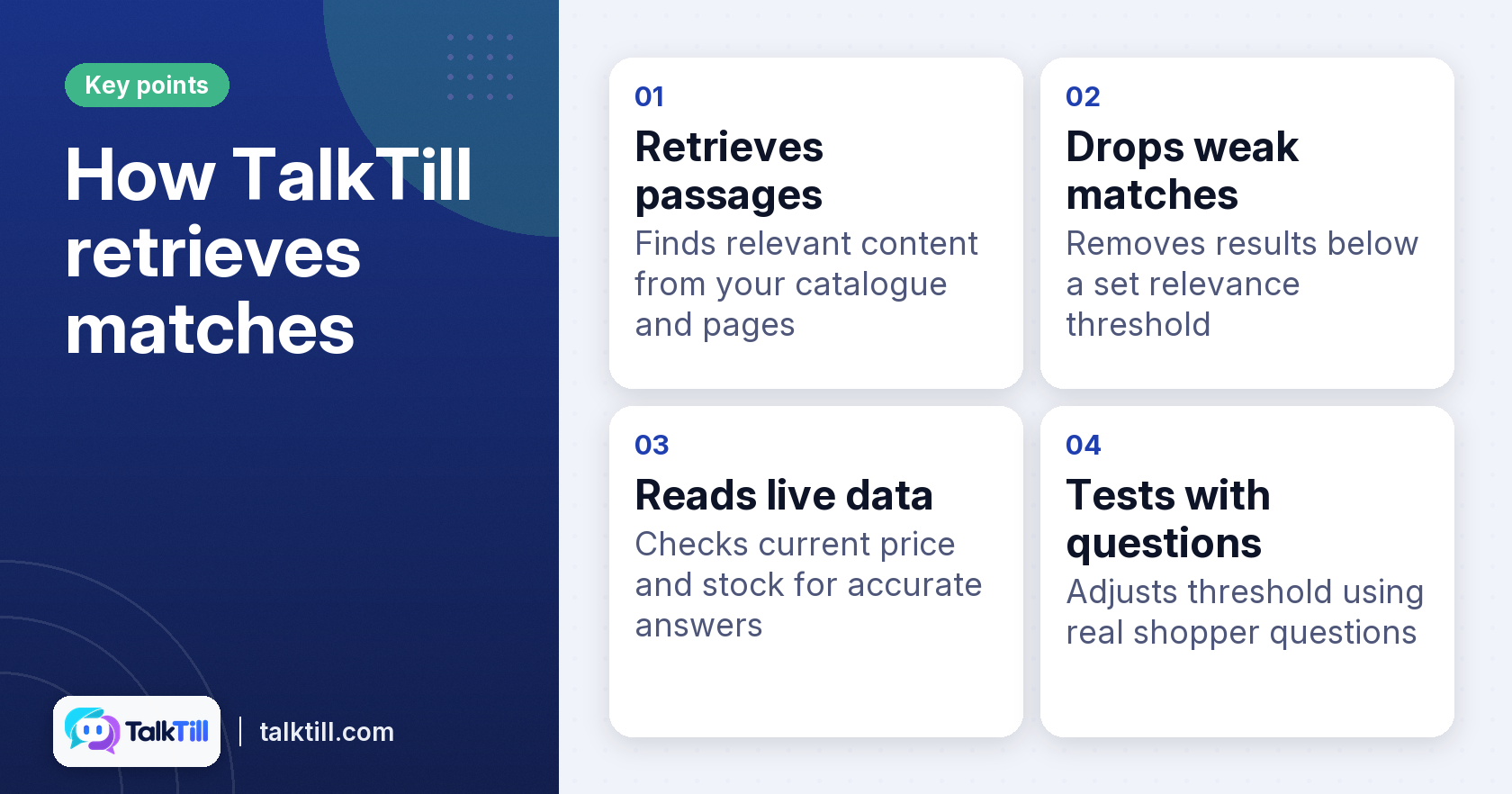
TalkTill retrieves from both the catalogue and your pages. It drops weak matches below a relevance threshold, so a loose match does not reach the shopper. It also reads live price and stock at the moment of the answer, which matters for a store, where prices and stock change often.
Choosing a threshold
Set the threshold by testing real questions. If weak matches slip through, raise it. If good products are dropped, lower it. Test with the questions your shoppers actually ask, not only the ones you expect.
Step 4: Generate and deliver product recommendations
After matching, the engine generates the recommendation and presents it to the shopper. In most stores this happens in a product recommendation chatbot, shown as a chat panel on the site.
How recommendations appear to the shopper
A good recommendation shows the product, its live price, and a link or add-to-cart option. It also shows where the answer came from. TalkTill’s widget shows product cards at the store’s live price, with a line under the answer that says where it came from.
Keeping the page fast
A chat widget that slows your site costs more in lost shoppers than it earns in chats. TalkTill’s script is 7.78 KB gzipped, and the chat panel is 37.97 KB and loads only once a shopper opens it. Visitors who never open the chat pay only for the button.
Serving shoppers in their language
The assistant supports multiple languages. For stores that sell to shoppers in more than one language, this removes a common barrier. Check that your product names and descriptions read correctly in each language before you launch.
Step 5: Monitor and refine your product recommendation engine

Monitoring is how you keep the engine accurate. Every recommendation has a cause, and you need to see that cause to fix a bad one.
Look at why a recommendation was made or why it was wrong. A wrong answer can come from three places: missing content, a threshold set too high or too low, or unclear wording. Each needs a different fix.
Reading the trace
TalkTill’s trace feature shows the product it found, the passages it read, and the score of each one. It also shows which candidates were dropped and why. If nothing relevant was retrieved, the product or policy is missing from your content. The threshold needs tuning if the right product was retrieved but scored below the cut. The wording needs work if the right product was used and the answer is still wrong.
TalkTill records every candidate the retrieval step considered, its relevance score, and which candidates were selected. You can see what the assistant nearly used and what it did use.
Reviewing ungrounded answers
Answers that did not draw on any retrieved content are the ones to review first. They show where your content misses shopper questions. A short page or a verified answer usually fixes them.
Related: See why your AI chatbot answered wrongly, TalkTill
Common mistakes when automating product recommendations
The most common mistakes are outdated data, hidden decision-making, and no plan for ongoing updates. Each one is easy to avoid if you plan for it at the start.
Relying on stale prices and stock
A static snapshot of prices and stock goes out of date fast. Read live price and stock from the store when the question is asked. Otherwise, you may quote a price that no longer applies.
Using tools that hide their reasoning
Many AI chat platforms show only the question and the answer. You cannot tell if an error comes from a missing page or a misread. The fixes for those two issues are completely different, so check a platform that shows its retrieval steps.
Letting content and monitoring slip
Products and policies change. Schedule regular content updates and review ungrounded answers each week. A recommendation engine that is never reviewed will drift away from what your store actually sells.
Key takeaways
- A product recommendation engine uses data to predict which products a shopper will want.
- Accurate, current data on products, pages, and files is the foundation of every recommendation.
- Use clear, single-topic pages and real tables, not images.
- Read live price and stock data, and set a relevance threshold based on real shopper questions.
- Monitor the reasons behind each answer, and review ungrounded answers often.
Conclusion
A product recommendation engine works when it is built on current data, structured content, and a clear way to see why each answer was given. Start with your catalogue and pages, test with real questions, and review the reasons behind every wrong answer. Over time, that routine keeps your recommendations accurate as your store changes.
Sources
FAQs
What are the benefits of using a product recommendation engine?
A recommendation engine helps shoppers find products that match their needs, which can make browsing faster. It can also reduce the number of repeated questions your team answers. The sales gain depends on how well the engine is built and kept up to date.
How do product recommendation engines handle out-of-stock items?
A well-built engine reads live stock at the moment of the answer, so it can skip items that have sold out. Without live stock data, it may recommend products that cannot be bought. Check this with test questions after you launch.
Can a product recommendation engine integrate with existing e-commerce platforms?
Yes, but the integration depends on the platform. TalkTill works with WooCommerce for live price and stock, and Shopify is not yet available. Check your platform’s support before you plan the build.
What kind of data is most important for a recommendation engine?
Live price, stock status, and accurate product descriptions matter most for product recommendations. Pages and files that answer common questions, such as sizing and returns, add useful context. Stale data is the most common cause of wrong answers.
How can I measure the success of my product recommendation engine?
Track how often shoppers act on a recommendation, such as clicking through or adding to cart. Review ungrounded and wrong answers each week to find content gaps. Compare these results over time rather than judging the engine on a single day.
Is a product recommendation bot suitable for small businesses?
It can be, especially for stores that answer the same product questions many times a day. A smaller store should start with its best-selling products and most common questions. Keep the content list short and review it often.